Qwen3.8-27B Won't Run on Your 16GB MacBook
Alibaba’s Tongyi Lab released Qwen3.8-27B on August 14, and the internet decided it had a headline: a 27-billion-parameter model you can run at home now beats Claude Opus. I counted the model card myself, and the claim holds up better than most hype. Of the 20 benchmarks where Opus 4.6 Max appears side by side, Qwen wins 16.
This article reaches a different conclusion. If you own a 16GB MacBook, this model will not run on your machine. Not because it’s too slow — because it won’t load. And there’s a twist: the 4-bit file is listed at 16.1GB and your machine has 16GB, which looks like a hair’s-breadth miss. Measured in actual bytes, the file is smaller than your memory. It still doesn’t work. The reason is more interesting than the arithmetic.
So I tested it. On a MacBook Air M5 with 16GB, the 27B never loaded. Instead I measured what does run: a 9B model, generating at 26.45 tokens per second once warm — six to eight times faster than a person reads aloud. This is that measurement, and an argument that “local LLMs got good” and “it runs on my laptop” are two entirely different sentences.

What Qwen3.8-27B Actually Is
Start with the model itself. Everything below comes from the official Hugging Face model card, not from secondhand write-ups.
| Item | Detail |
|---|---|
| Released | August 14, 2026 (Alibaba Tongyi Lab) |
| Parameters | 27B dense — 27.78B measured, hidden size 5,120 across 64 layers |
| Architecture | Hybrid attention — interleaved Gated DeltaNet and Gated Attention |
| Context | 262,144 tokens native, up to 1M with YaRN scaling |
| Multimodal | Native vision-language — processes images and video directly |
| License | Apache 2.0 |
Three things matter here. First, it’s dense. While most large models have moved to mixture-of-experts, this one activates all 27B parameters on every token. That property becomes decisive later. Second, it’s natively multimodal — vision wasn’t bolted on afterward. Third, Apache 2.0. For anyone shipping a product, that clause may outweigh any benchmark number.
Now the benchmarks — including, unusually, the ones it loses.
| Benchmark | Qwen3.8-27B | Opus 4.6 Max | Result |
|---|---|---|---|
| SWE-bench Pro | 61.7 | 53.4 | Qwen wins |
| OSWorld-Verified | 84.3 | 72.7 | Qwen wins |
| Terminal Bench 2.1 | 73.0 | 78.2 | Qwen loses |
| NL2Repo-Bench | 42.3 | 47.6 | Qwen loses |
| GPQA Diamond | 89.2 | 91.3 | Qwen loses |
| HLE | 30.8 | 40.0 | Qwen loses |
Source: Qwen/Qwen3.8-27B model card, Hugging Face
Read these carefully. Every number was produced by Qwen, measuring Qwen. With that caveat, I counted: 20 benchmarks list Opus 4.6 Max alongside, and Qwen leads on 16 of them. The four losses are above, and HLE — 30.8 against 40.0 — is not a rounding error. The harder the reasoning task, the wider the gap.
The same caution applies to picking rows. MathVision is a good example: Qwen3.8-27B scores a striking 94.6, but that’s with a code interpreter enabled. Without it the score is 90.0, and the comparison model, Qwen3.7-Plus, comes in at 90.3 — slightly ahead. Pull a number from a vendor table without checking the conditions and you’ll publish the wrong story.
None of which erases the achievement. A 27B model scoring 61.7 on SWE-bench Pro would have been frontier-cloud territory a year ago.
The File Is Smaller Than the RAM. It Still Won’t Load.
Here’s the heart of it.
The most widely used Apple Silicon build, mlx-community/Qwen3.8-27B-4bit, is listed at 16.1GB. Your machine has 16GB. Most people stop there and conclude it misses by a hair. That conclusion is wrong.
Hugging Face reports storage in decimal gigabytes (10⁹ bytes). Apple sells you memory in gibibytes (GiB, 2³⁰ bytes). Measured with the same ruler:
- Model file: 16.1 × 10⁹ bytes = 14.97 GiB
- Machine memory: 16 GiB = 17.18 × 10⁹ bytes
The file is about 1 GiB smaller than the memory. And it still won’t load. Three reasons:
First, macOS caps how much memory the GPU may claim. Apple Silicon’s unified memory is shared between CPU and GPU, and macOS limits the GPU’s wired allocation to roughly 75% of physical RAM by default. On a 16GB machine that’s about 12 GiB. A 14.97 GiB model sits above that ceiling. Unless you go change iogpu.wired_limit_mb yourself, the allocation simply never happens.
Second, the OS and your apps are already using memory. At the time of measurement this MacBook reported 64% system-wide memory free (via the memory_pressure command) — about 10.2 GiB of the 16 GiB. That’s a normal working state with a browser and an editor open.
Third, the model file isn’t the whole bill. During inference, the KV cache and activation memory stack on top of the weights, and that share grows with context length. File size is the floor, not the total.
A Quick Word on 4-bit Quantization
One concept you need for the rest of this. Model parameters are normally stored as 16-bit (2-byte) floats. At 27.78B parameters, the original weights come to roughly 56GB — a non-starter on personal hardware.
Quantization shrinks the file by lowering numerical precision. Drop 16 bits to 4 and you theoretically cut to a quarter: 27.78B × 0.5 bytes ≈ 13.9GB. The actual file is 16.1GB because this is a vision-language model, and the vision encoder and embedding layers stay in BF16.
The important part is that quantization isn’t free. Precision you remove is quality you lose. That’s why the industry treats 4-bit as the practical floor; below 2 bits, sentences start to wobble and reasoning chains break.
So “just squeeze it to 2-bit” is bad advice generally — but for Apple Silicon users there’s a simpler problem. The only Qwen3.8-27B quantizations on mlx-community right now are 4-bit and 8-bit. No 3-bit, no 2-bit. The option you’d be tempted by doesn’t exist.
Worth noting too: there is no small Qwen3.8. The family currently consists of the 27B and a 2.4-trillion-parameter Max (Qwen3.8-2.4T-A95B). The Qwen3.5 generation had a lightweight ladder — 0.8B, 2B, 4B, 9B — but 3.8 doesn’t have one yet. For 16GB owners, “just use the smaller one” isn’t available either.
”Can’t It Just Swap to Disk?”
This is the obvious objection, and computing has answered it for sixty years. Virtual memory, first implemented on the Atlas — built by the University of Manchester and Ferranti — in 1962, is exactly that answer. Before it, programmers hand-carved programs into overlays and swapped them in and out themselves; virtual memory made programs larger than physical memory run anyway — slowly, but they ran.
Large language model inference is one of the rare workloads where that sixty-year-old solution fails. Virtual memory works because of locality — a program touches only part of itself at any moment. A dense model is the opposite. Generating a single token reads all 27B parameters. Locality is effectively zero. Memory-map a model bigger than your RAM and every single token re-reads the entire weights file from disk, which drops throughput out of any usable range. Because “spill to disk” doesn’t work here, this wall isn’t negotiable.
So I Measured What Does Run — M5 MacBook Air, 16GB
Since the 27B wouldn’t load, I measured the thing that does. Test setup:
| Item | Spec |
|---|---|
| Machine | MacBook Air M5 (10 cores — 4 performance / 6 efficiency) |
| Memory | 16GB unified, 153GB/s bandwidth |
| Runtime | LM Studio (OpenAI-compatible server, port 1234) |
| Model | Qwen3.5-9B MLX 4-bit (5.6GB on disk) |
| Context | 8,192 tokens |
| Method | Three prompt lengths, temperature 0.3 |
Results:
| Scenario | Output tokens | Elapsed | Throughput |
|---|---|---|---|
| First run (includes model load) | 399 | 42.80s | 9.32 tok/s |
| Short answer | 119 | 4.63s | 25.70 tok/s |
| Medium | 299 | 11.13s | 26.86 tok/s |
| Long generation | 699 | 26.10s | 26.78 tok/s |
| Warm average | — | — | 26.45 tok/s |
Two things stand out.
Throughput is remarkably flat once warm. Whether the output is 119 tokens or 699, it stays between 25.7 and 26.9 tok/s. Speed doesn’t degrade as generation runs long — which matters enormously in practice. A model that starts fast and crawls by paragraph four is useless for drafting documents.
The 9.32 tok/s first run includes pulling the model off disk. All the time spent loading 5.6GB into memory lands in that number. Real-world feel starts with the second request, and LM Studio keeps a model resident for 60 minutes by default — so if you use it a few times a day, you’re almost always in the warm state.
For a sense of scale: reading aloud runs roughly 150 words per minute, about 3–4 tokens per second. At 26.45 tok/s you’re getting six to eight times that. You never wait for text to fill the screen. Fair caveat: silent reading is nearly twice as fast as reading aloud, which halves the multiple. Even so, a function, an email, or a summary paragraph lands in seconds.
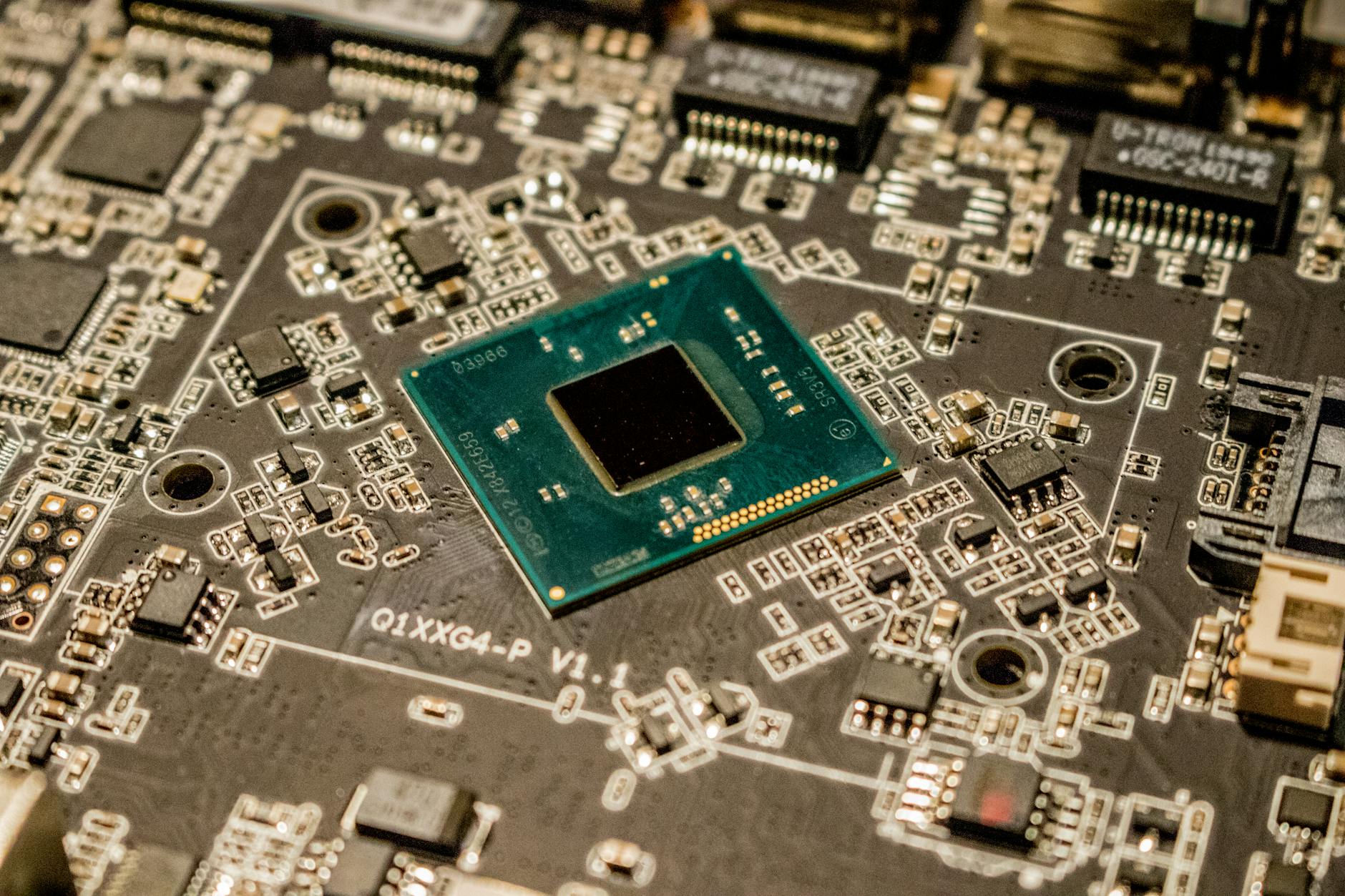 Photo by Jeremy Waterhouse on Pexels
What You’d Need to Actually Run the 27B
Capacity is the first gate; bandwidth is the second.
| Memory | Realistic model size | Notes |
|---|---|---|
| 8GB | 4B and under | 2–3GB at 4-bit. Limited usefulness |
| 16GB | 9B–14B | The setup in this article. Qwen3.8-27B not possible |
| 24GB | 14B–24B | Often cited as the 27B minimum, but tight once KV cache grows with context |
| 32GB+ | 27B at 4-bit, comfortably | The practical minimum for Qwen3.8-27B |
| Discrete GPU (RTX 4090 24GB / 5090 32GB) | 27B at 4-bit | ~15 GiB plus KV cache. Faster than Mac silicon |
There’s a trap here. More memory does not proportionally buy more speed. Capacity decides whether the model loads at all; bandwidth decides how fast it runs. The M5’s 153GB/s is a 28% improvement over M4, but it’s still modest next to Pro/Max chips or a high-end discrete GPU. Load the 27B onto a 32GB MacBook Air and you’ve tripled the parameters — meaning you triple the bytes read per token — so expect roughly a third of 9B throughput, somewhere around 8–9 tok/s. That’s down at reading speed.
In other words, running a 27B comfortably on a laptop needs more than 32GB of memory. It needs a high-bandwidth Pro or Max chip. Miss that distinction and you end up asking why the upgrade you just paid for feels slow.
What You Actually Give Up
Be honest about the tradeoff. What does dropping to 9B cost you?
The biggest loss is multimodality. Qwen3.8-27B’s real differentiator isn’t its score, it’s reading images and video natively. Scanned contracts, hand-drawn diagrams, engineering drawings, chart images — processed locally at zero API cost. A text-only 9B cannot substitute for that.
Second is long context. The 27B supports 262K tokens natively; this test ran at 8,192. Feeding an entire codebase or a several-hundred-page document is simply a different weight class. Though note the catch: long context inflates the KV cache. A model card’s context number tells you what the model understands, not what your machine can afford.
And now what you don’t lose. For everyday summarizing, translation, email drafts, short code, and document Q&A, the felt difference between a 9B and a 27B is much smaller than the benchmark gap suggests. Benchmarks deliberately collect hard problems in order to separate models; that separation doesn’t transfer cleanly to ordinary work. “It’s pointless unless it’s 27B” is, mostly, overstated.
This Is an Old Story in Personal Computing
If any of this feels novel, the history of the PC says otherwise.
Software outrunning memory, with hardware catching up late, has been a constant. The IBM PC’s 640KB limit in 1981 is the canonical case — though not for the reason usually given. It wasn’t a failure to imagine that anyone would need more. The Intel 8088 had 20 address lines, so the total address space was 1MB, and IBM reserved the upper 384KB for video memory, expansion card ROM, and BIOS ROM. The 640KB left below was everything programs could use. It was an allocation decision, not a demand forecast. (Bill Gates’s famous “640K ought to be enough for anybody” was denied by Gates himself, and no primary source for it has ever surfaced.)
The problem wasn’t the allocation — it was the pace. The IBM PC shipped with 16KB of RAM, so 640KB looked impossibly distant. Three years later, in 1984, it became a real constraint. Intel’s Above Board arrived that year, followed by EMS in 1985 and XMS in 1988: a parade of workarounds bridging what software demanded and what standard hardware supplied. A way past the wall opened when the 80386 — announced in 1985, shipping in volume the following year — brought a 32-bit address space. But because DOS kept running in real mode, the barrier lingered in practice for years afterward.
Today’s local-LLM user fiddling with 2-bit quantization is doing structurally the same thing: closing the gap between what the model needs and what the machine has by cutting quality. Yesterday’s overlays and EMS bank switching are today’s low-bit quants.
But one thing is decisively different. Users then had two emergency exits. Both are now closed.
The first exit was virtual memory: if it doesn’t fit, spill to disk and run slowly. As shown above, dense LLMs defeat this — every token reads every parameter, so there’s no locality to exploit.
The second exit was physical expansion. Add-in memory boards like the 1984 Above Board did the job, and through the 1990s, adding RAM to a slot or socket was simply what you did. The 640KB wall was, at worst, a wall you could pay your way past. Apple Silicon’s unified memory removes that option entirely: the memory ships fused to the chip package, so the capacity you choose at purchase is the ceiling for the machine’s entire life. A user in 1985 could say “not enough today, I’ll add more later.” Someone who bought a 16GB MacBook has exactly one remaining move — replace the whole machine.
So What
First, read local-LLM news through memory, not performance. “27B beats Opus” omits the question of whether you own a machine that can hold a 27B. The first number to check in a release post isn’t the benchmark, it’s the 4-bit file size — and when you compare it to your machine, remember that roughly 75% of RAM is the real ceiling. A 16GB machine’s practical limit is 12GB, not 16.
Second, the real news here is the license, not the scores. A natively multimodal 27B under Apache 2.0 is a combination that didn’t exist before. For any organization that must process scanned documents and drawings without sending them outside, that clause outweighs a benchmark point or two. Claiming the benefit, though, presumes 32GB and preferably high bandwidth.
Third, if you’re on 16GB today, waiting is rational. Qwen3.5 shipped a lightweight ladder from 0.8B to 9B, and Qwen3.8 may eventually do the same. Rather than forcing a low-bit squeeze — which, on Apple Silicon, isn’t even offered — run a well-quantized 9B now and switch when a small version lands. At a measured 26 tok/s, the 9B is genuinely usable for real work.
Fourth, if you’re buying hardware, the number is 32GB. For serious local LLM use, 32GB of unified memory is effectively the price of entry, and bandwidth pushes you toward Pro or Max silicon. 16GB is a 9B-to-14B machine. That’s not an insult — just buy knowing where the ceiling is. And with unified memory, that decision is unappealable.
To sum up: Qwen3.8-27B is a good model, and scoring what it scores at 27B is real progress. But model capability and your laptop’s memory move on separate clocks. The 640KB wall could be crossed with money or patience. The unified-memory wall cannot. The bottleneck in local AI isn’t intelligence — it’s memory, and that memory was decided the day you bought the machine.
References
- Qwen/Qwen3.8-27B official model card — parameters, architecture, context, benchmarks
- mlx-community/Qwen3.8-27B-4bit — Apple Silicon 4-bit conversion (16.1GB)
- Apple — MacBook Air tech specs · Macworld — M5 MacBook Air specs — 153GB/s bandwidth, 28% over M4
- AppleInsider — why Apple uses integrated memory, and why it’s both good and bad
- The 640K Barrier — Digital Antiquarian · Quote Investigator — the “640K” attribution
- Atlas Computer and the Invention of Virtual Memory (IEEE Milestone)
- Throughput measurement: 2026-08-16, MacBook Air M5 / 16GB, LM Studio with Qwen3.5-9B MLX 4-bit. Raw figures are in the table above.
댓글
✍️ 편집자 모드 — 이 댓글은 공개되지 않고 편집자에게만 전달됩니다.